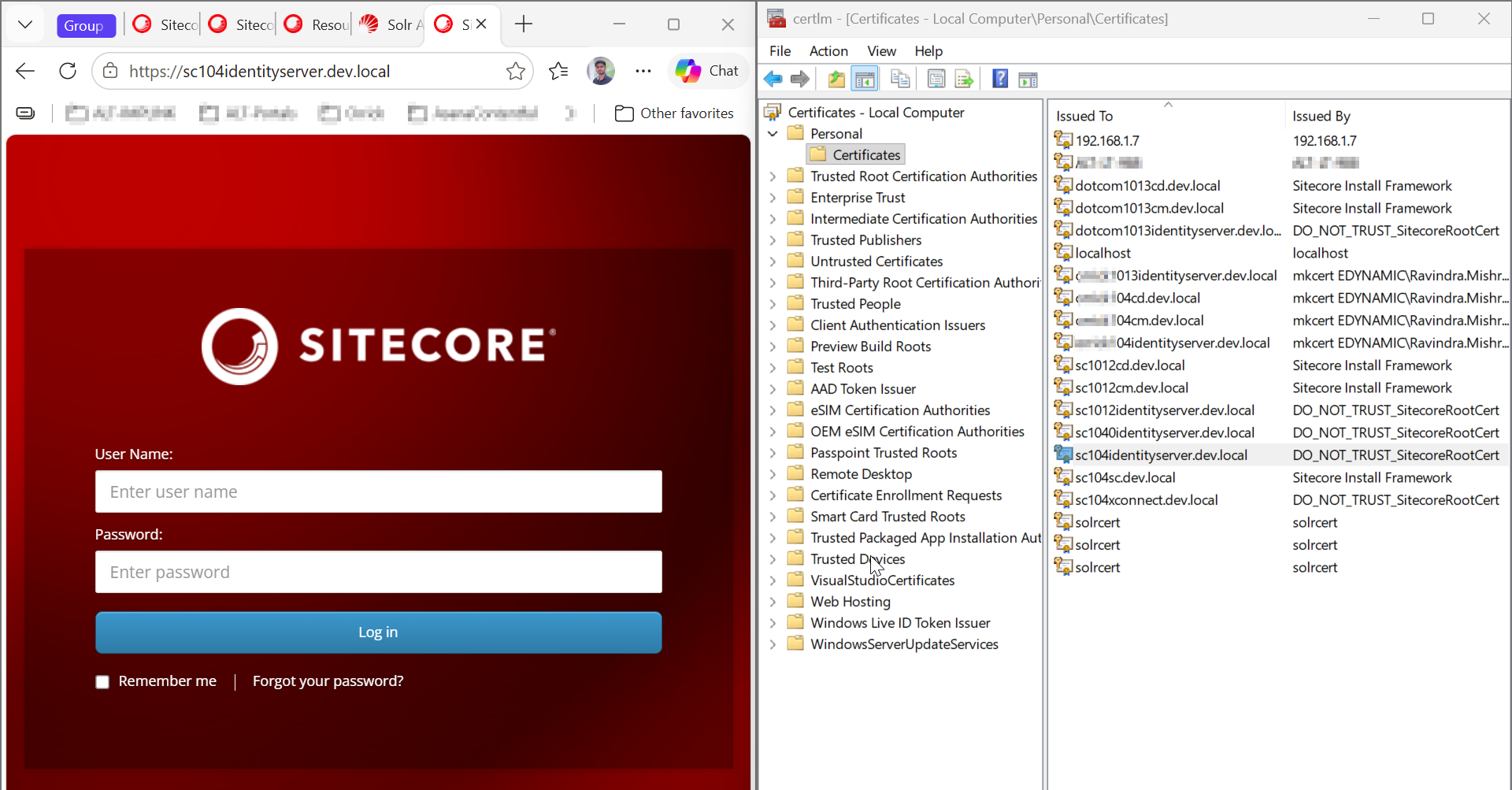
Sitecore CM Login Not Redirecting to Identity Server? Troubleshooting Guide
If your Sitecore CM login is not redirecting to Identity Server, even though Identity Server opens correctly, the issue may be related to certificate trust, hostname configuration, IIS bindings, or Sitecore authentication settings.
I ran into this issue while manually configuring Sitecore using WDP packages without SIF or SIA. The CM and Identity Server configuration appeared to be correct, and Identity Server was accessible directly, but the Sitecore login page would not redirect.
In my case, the issue was a certificate-chain trust problem. The root CA certificate used by the Identity Server certificate was not trusted by the local machine.
This guide starts with the fix that worked in my environment, followed by additional checks for similar Sitecore CM > Identity Server issues.
Prerequisites
Before you start, make sure the following prerequisites are already in place:
- Sitecore CM is already installed and accessible.
- Sitecore Identity Server is already installed and configured.
- The Identity Server SSL certificate has already been created and is being used by Identity Server.
- The required Sitecore CM and Identity Server configuration is already in place.
- The Identity Server hostname is configured consistently across Sitecore, IIS, the certificate SAN/DNS name, and the Windows hosts file.
For the examples in this article, I am using:
- Sitecore CM:
https://sc104cm.dev.local - Sitecore Identity Server:
https://sc104identityserver.dev.local/
Your URLs will be different, but use the same Identity Server hostname consistently throughout your local setup.
Quick Fix
If Identity Server is already installed and accessible, start with the following checks. In my environment, the certificate-chain trust issue was the main problem.
1. Open the Local Machine certificate store
- Press Win + R enter
certlm.msc, and press Enter. - Go to Personal > Certificates and find the SSL certificate used by the identity server
https://sc104identityserver.dev.local/
2. Check the certificate chain
- Open the Identity Server certificate and select Certification Path.
- Select the root CA certificate at the top of the chain and click View Certificate.
- Go to Details > Copy to File... and export it as a
.cerfile. - You only need the public certificate for this step. Do not export the private key.
3. Trust the root certificate
-
Open the exported
.cerfile and select Install Certificate. -
In the certificate import wizard, select the following options:
- Select Local Machine as the certificate store location.
- Choose Place all certificates in the following store.
- Select Trusted Root Certification Authorities as the certificate store.
- Complete the certificate import.
-
The certificate should be installed under:
Local Computer>Trusted Root Certification Authorities
4. Verify the Identity Server IIS binding
- Open IIS Manager, select the Identity Server website, and open Bindings...
- Verify that the HTTPS binding uses port 443, the correct hostname, and the Identity Server SSL certificate.
- Make sure the hostname matches the Identity Server URL and the certificate SAN.
5. Verify Sitecore, Identity Server, and Hostname Configuration
Make sure sc104identityserver.dev.local is used consistently across your Sitecore CM and Identity Server configuration. Check the following settings and files:
5.1) Sitecore CM configuration
Check the following files on the Sitecore CM instance:
-
C:\inetpub\wwwroot\sc104cm.dev.local\App_Config\ConnectionString.config- Verify the
sitecoreidentity.secretconnection string.
- Verify the
-
C:\inetpub\wwwroot\sc104cm.dev.local\App_Config\Sitecore\Owin.Authentication.IdentityServer\Sitecore.Owin.Authentication.IdentityServer.config- Verify that
identityServerAuthoritypoints to the correct Identity Server URL:
- Verify that
<sc.variable name="identityServerAuthority" value="https://sc104identityserver.dev.local" />
5.2) Identity Server configuration
-
Check the Identity Server configuration file:
C:\inetpub\wwwroot\sc104identityserver.dev.local\Config\production\Sitecore.IdentityServer.Host.xml -
Make sure the certificate and other Identity Server settings are configured correctly.
5.3) Certificate SAN/DNS name
- Make sure the Identity Server domain name is included in the certificate's Subject Alternative Name (SAN).
- You can check this from Certificate Manager > Certificate > Details > Subject Alternative Name.
- The hostname should match the Identity Server URL you are using.
5.4) Windows hosts file
-
Check the Windows hosts file:
C:\Windows\System32\drivers\etc\hosts -
Make sure there is an entry for the Identity Server hostname and that it resolves to the correct IP address for your local setup.
6. Restart IIS
- Run
iisresetin the terminal to restart IIS and apply the changes. - Then open
https://sc104cm.dev.local/sitecorein your browser and try logging in again.
Frequently Asked Questions
1. Why does Identity Server work directly but CM does not redirect?
Direct browser access does not necessarily mean that Sitecore CM can establish a trusted HTTPS connection to Identity Server. The CM authentication flow can still fail because of certificate trust, hostname, SAN/DNS, IIS binding, or Sitecore configuration.
2. Where should the Identity Server root certificate be installed?
For the local Windows setup described in this article, install the root CA certificate under Local Machine > Trusted Root Certification Authorities.
3. Do I need to export the Identity Server private key?
No. For the certificate-trust fix described here, export only the public root CA certificate as a .cer file.
Conclusion
In this troubleshooting guide, we identified and fixed one specific issue: a certificate-chain trust problem between Sitecore CM and Identity Server. Installing the root CA certificate in the Local Machine > Trusted Root Certification Authorities store, along with verifying the IIS binding and hostname, resolved the redirect issue in our setup.
Related Links & Discussions
If you are troubleshooting Sitecore Identity Server or setting up a local Sitecore environment, these resources may also be useful:
- How to Create SSL Certificates for Sitecore Locally
- Sitecore CM Login Not Redirecting to Identity Server – Stack Exchange
- My Stack Exchange Answer – Certificate Trust Fix